
Welcome passElarabet
Elarabet
100%
up to $5,000 + 100 Free Spins
- Wagering
- x40
- Min deposit
- $40
Create Account18+. T&Cs apply. Play responsibly.
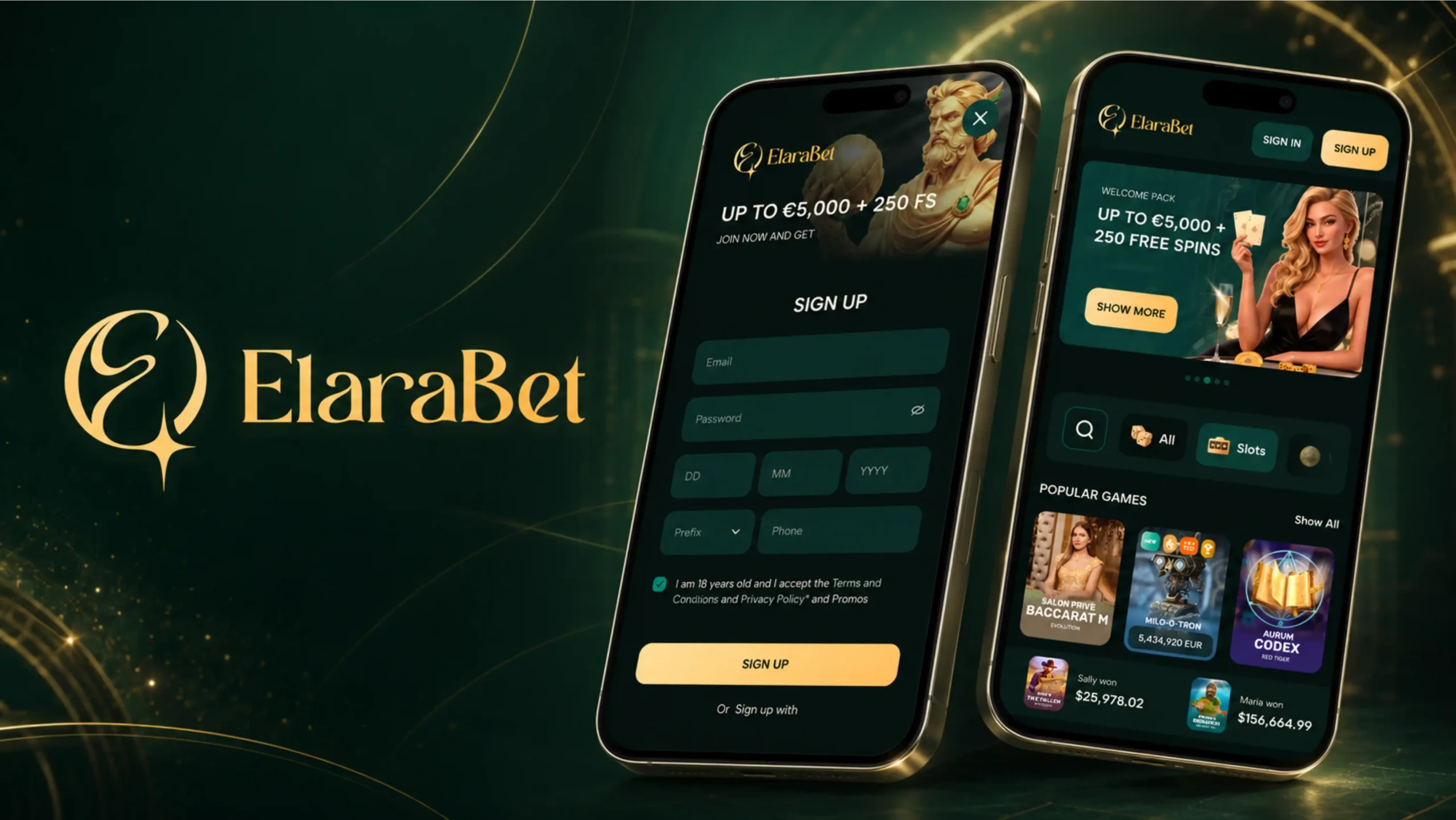
Open an Elarabet Account
Complete the registration form, confirm your contact details and make your first deposit; identity verification may be requested.
Enter your details in the registration form and confirm that you meet the age of majority.
Use the confirmation link or code sent by email or phone to verify your contact details.
Make your first deposit using a payment method shown in the cashier; the minimum deposit is $40.
Complete identity checks when requested, using documents that verify your identity and address.
Includes 100 free spins. Use bonus code HIGH1–HIGH5 for High Roller pack; weekly promo codes such as TUE30, FS20/FS50/FS150, LOW20, POWER50, SAT55.
To open an Elarabet account, complete the registration form with your personal details, then follow any e-mail or phone confirmation prompt. You must be of legal gambling age where you live. Identity checks may be requested during registration or later, including before account features are available. Once registration is complete, the welcome pack starts with its first-deposit offer; the remaining stages apply across later deposits.
Start by opening the account registration form and entering the details it asks for. Use accurate information that matches your identity, as inconsistent details can make verification harder. Review each entry before submitting, especially your name and contact details, so that any later check can be matched to your account.
Choose the account credentials requested by the form and keep them accessible for future sign-ins. The form may also ask you to confirm that you meet the age requirement and agree to the account conditions. Read those prompts before continuing, and do not submit the form if you are below the legal gambling age where you live.
After submitting the form, check for a confirmation request sent to the e-mail address or phone number you entered. Follow the prompt to verify that the contact detail belongs to you. If you do not see a message, check that you entered the address or number correctly and look in any filtered-message folders before requesting another confirmation.
Keep the account contact details current. They can be used for account messages and verification requests, so access to them may matter when you need to confirm a change or complete a check. If a detail was entered incorrectly, use the account’s available settings or contact route to ask how it can be corrected rather than opening another account.
| Registration stage | What to do |
|---|---|
| Form | Enter the requested personal and contact details accurately. |
| Confirmation | Follow the e-mail or phone prompt if one is sent. |
| Identity check | Provide requested evidence that matches your account details. |
| First deposit | The welcome pack’s first stage is 100% up to $3,000 + 100 Free Spins. |
Identity verification, often called KYC, helps establish that the account belongs to you. A check can be requested during sign-up or later, such as before you use particular account features. Have suitable evidence ready if asked, and make sure the details on it are consistent with those used in your registration.
Requests commonly cover proof of identity, proof of address or confirmation of payment ownership. The exact documents depend on the check requested, so provide only the evidence asked for through the account’s verification process. Images should be clear enough to read, with the relevant details visible; unclear or mismatched evidence can mean the check needs further attention.
Once the account is set up, you can move to the cashier and choose a deposit method available there. Elarabet’s stated minimum deposit is $40. The available methods include Visa, Mastercard, Maestro, Paysafecard and Ripple XRP; check the cashier for the options shown for your account before you proceed.
The welcome pack is structured across three deposits, rather than being a single first-deposit amount. Its first-deposit offer is 100% up to $3,000 + 100 Free Spins. The next stages are 125% up to $2,000 + 50 Free Spins and 75% up to $5,000 + 150 Free Spins, with the whole package stated as up to $10,000.
Registration comes before activation of the welcome offer. Review the offer conditions presented to your account before making a deposit, including which stage applies and any applicable wagering requirement. The stated x40 wagering applies to the offer terms; check the terms shown for the promotion you intend to use before opting in or depositing.
Use the account settings to review personal details when that option is available. A change to your name or contact information may require a further check, particularly if the updated information no longer matches earlier verification evidence. Follow the account’s instructions for making the change and provide supporting evidence if requested.
Opening another account is not a substitute for correcting details on an existing one. Use one account for your own play and ask for guidance through the casino’s available contact route if you cannot edit a detail yourself. This helps keep your registration information, confirmation details and verification evidence aligned.
Take a moment to check the key details on the form before sending it. A correct contact address, accurate identity information and a clear understanding of the deposit offer can help avoid preventable delays during account setup. If a confirmation or verification prompt appears, complete it before moving on to the next step.
Keep in mind that eligibility depends on meeting the legal gambling age where you live. Do not register if you do not meet that requirement. If an identity check is requested, respond with the evidence relevant to that request rather than sending unrelated personal documents.
| Registration stage | What to do |
|---|---|
| Registration | Open the registration form and enter the requested account details. |
| Contact confirmation | Confirm your e-mail address or phone number if prompted. |
| Verification | Identity checks may require proof of identity, address or payment ownership. |
| Welcome offer | The welcome pack begins with 100% up to $3,000 + 100 Free Spins on the first deposit; the full package spans three deposits and is up to $10,000. |
Create an Elarabet account by completing the registration form and following any confirmation or identity-check steps shown. These answers cover the details and documents you may need during sign-up.
To complete Elarabet sign up, fill in the registration form, confirm your e-mail address or phone number if prompted, and follow the account instructions. Enter your details accurately so they match your identity documents. You can then make a first deposit and complete any identity checks requested for your account.
You need to provide the personal details requested on the registration form and be of legal gambling age. Use your own current details, including contact information, so Elarabet can link account confirmation and any later identity checks to you. The form shows which fields must be completed before you can submit it.
Identity verification may require documents that confirm who you are and the details on your account. Have identification and, if requested, documents that confirm your address available. Elarabet may request verification during registration or later, including before account activity that requires identity checks.
The verification timing is stated in Elarabet’s terms. You may be asked to complete identity checks during registration or later, so follow the instructions shown for your account. Make sure the details you enter match your documents to avoid discrepancies during verification.
Use one personal account and enter your own details when registering with Elarabet. If you already have an account, use that account rather than creating another. Keeping your registration details consistent with your identity documents helps the casino verify that the account belongs to you.
Elarabet accepts Visa, Mastercard, Maestro, Paysafecard and Ripple XRP for deposits, with a minimum deposit of $40. You can make a first deposit after completing registration and any required confirmation steps. Choose a method shown in the cashier and follow its instructions to fund your account.
100% up to $5,000 + 100 Free Spins
Still deciding? Your welcome offer is ready to claim.